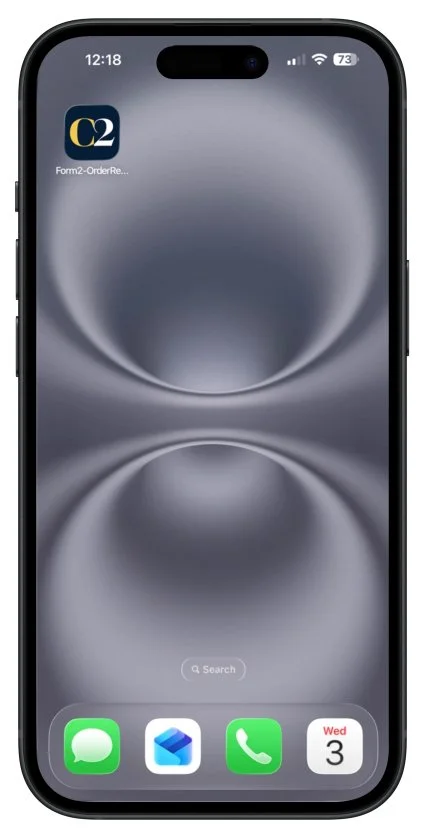

Save ConForm2 on Your Home Screen
iPhone or iPad
Step 1
Tap the button below.
Step 2
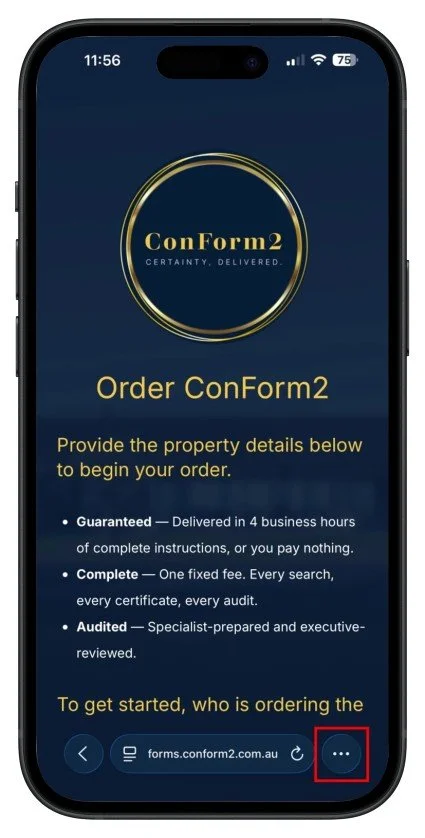
Tap the three dots in the bottom-right corner of your screen.
Step 3
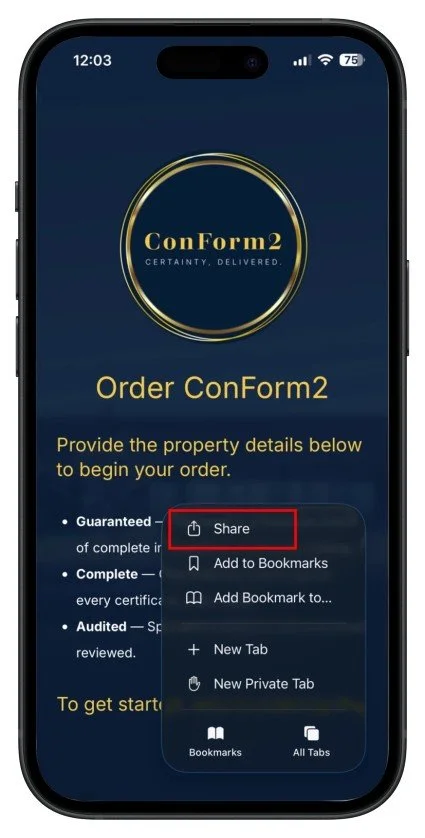
Tap Share.
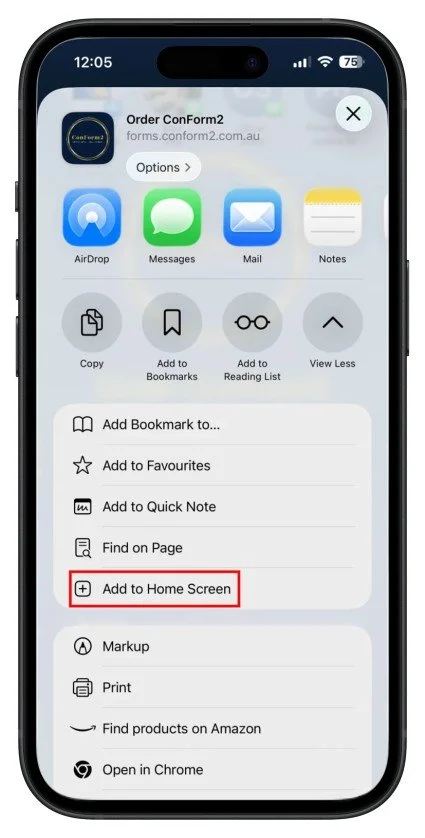
Step 4
Tap Add to Home Screen.
Step 5
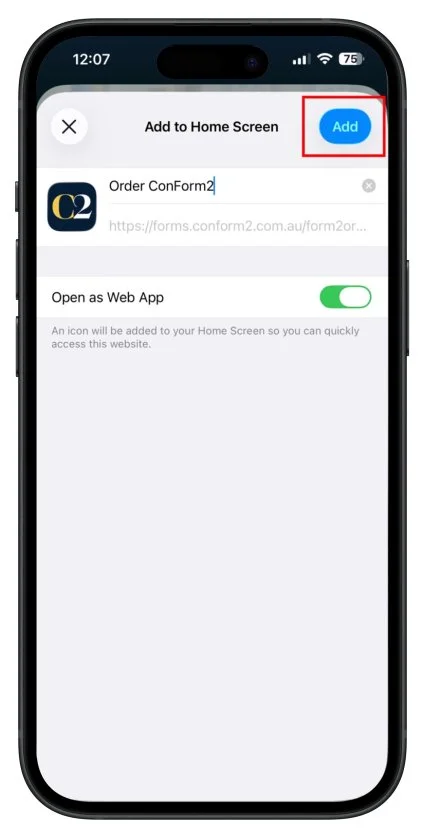
Confirm by tapping Add.
Tap the button below.
Tap the three dots in the bottom-right corner of your screen.
Tap Share.
Tap Add to Home Screen.
Confirm by tapping Add.